
'Learning by Doing' AI-Themed Solution
Aligned with the Guidelines for the 'Learning by Doing' Pilot Action in Science Education in Compulsory Education (issued by the Ministry of Education), this is a dual-track "hardware + programming" AI-themed curriculum solution for all learning stages from Grade 4 through junior high school.

Policy Background
Guidelines for the 'Learning by Doing' Pilot Action in Science Education in Compulsory Education (issued by the Ministry of Education)
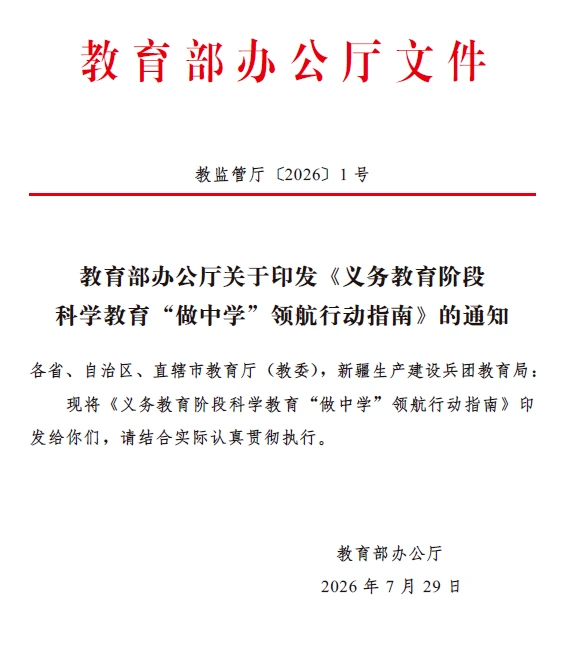
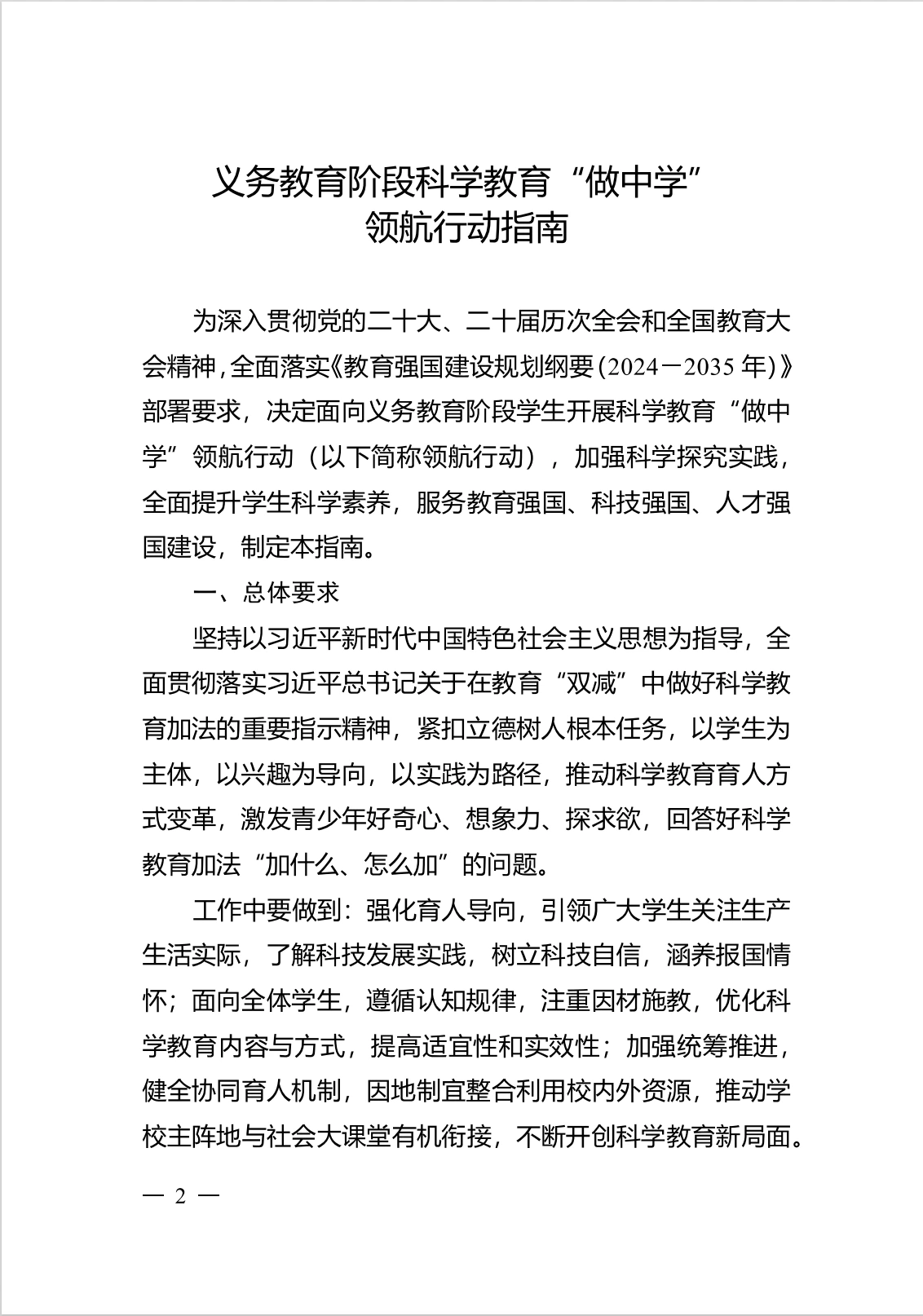
In July 2026, the Ministry of Education issued the Guidelines for the 'Learning by Doing' Pilot Action in Science Education in Compulsory Education, launching the 'Learning by Doing' pilot action in science education.
In strengthening curriculum implementation planning, the document requires, on the basis of strictly implementing the overall requirements of the compulsory education curriculum plan while keeping the total class hours unchanged, the coordinated use of cross-disciplinary thematic learning hours within science courses, as well as hours from comprehensive practical activities, local curricula, and school-based curricula, arranged flexibly in a centralized or distributed manner, to ensure each student completes no fewer than 1 task and no fewer than 4 class hours per semester.
Example of the 'Artificial Intelligence' theme from the Guidelines for the 'Learning by Doing' Pilot Action in Science Education in Compulsory Education
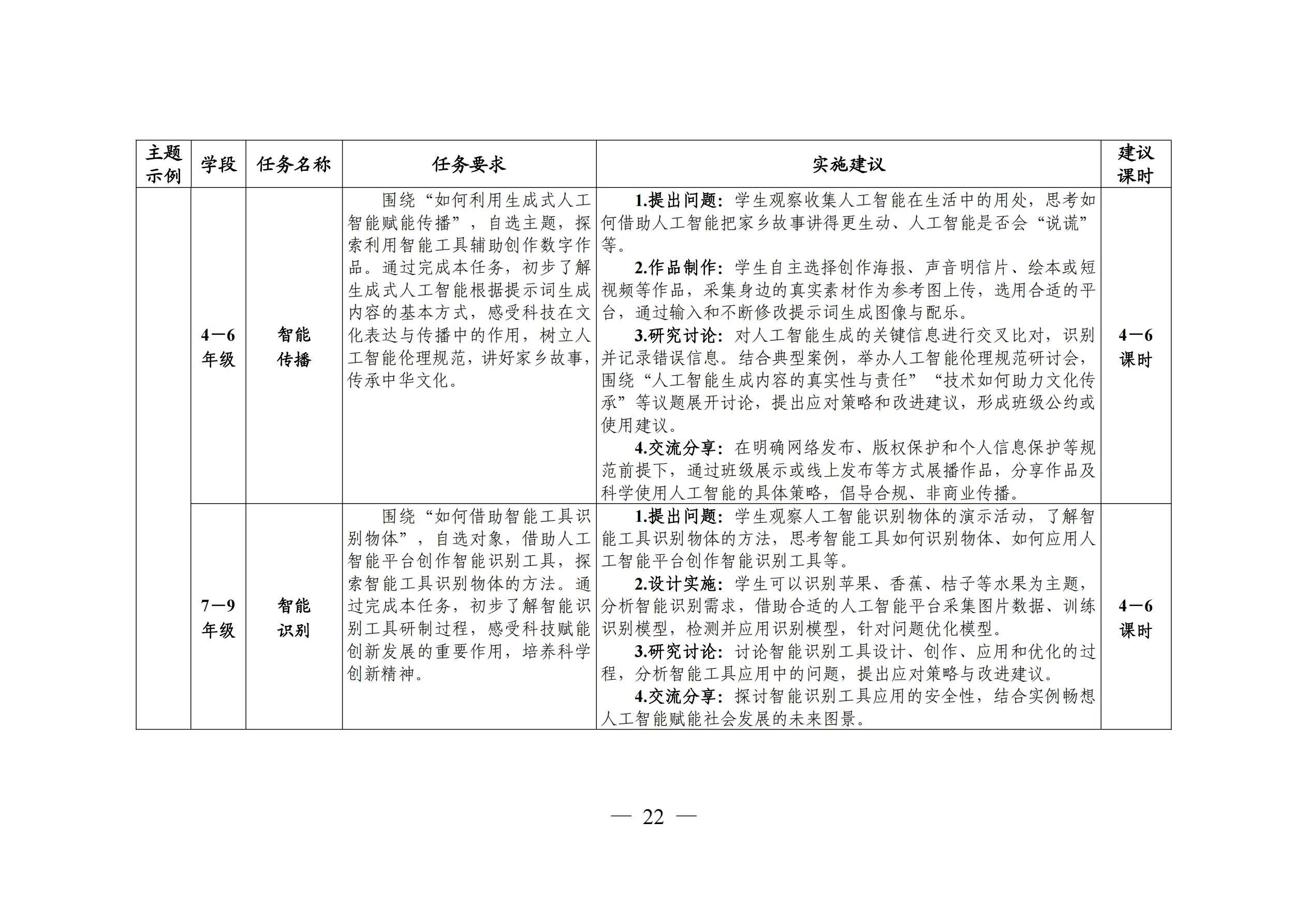
Solution Overview
ShengTong Education Configuration Plan for the 'Learning by Doing' Pilot Action in Science Education in Compulsory Education
I. Overall Objectives
The ShengTong Education Configuration Plan for the 'Learning by Doing' Pilot Action in Science Education in Compulsory Education aims to build a science-and-innovation education solution covering multiple core fields such as information technology, engineering technology, and artificial intelligence for all learning stages from Grade 4 to junior high school. Horizontally, the plan connects six knowledge modules—hardware building, mechanical structures, sensor applications, programming development, AI interaction, and creative creation; vertically, it forms a coherent and progressive cultivation system across six school years, adapting to the cognitive development law and science-and-innovation ability growth path of primary and secondary school students.
II. Growth Objectives
Thinking literacy:Cultivate computational thinking, engineering thinking, design thinking, and innovative thinking; build systematic logical-analysis ability and cross-disciplinary integration thinking; and form a core thinking model for the intelligent era.
Comprehensive abilities:Improve hands-on practical ability, teamwork ability, creative-expression ability, and project-review ability; and develop a rigorous engineering attitude and sustained interest in science-and-innovation exploration.
Long-term development:Build complete digital literacy and AI literacy, stimulate the intrinsic drive for technology exploration, and lay a solid foundation for subsequent participation in science-and-innovation competitions, further study in informatics, and the growth of innovative talents.
III. Course Objectives
Knowledge dimension:Systematically master knowledge such as mechanical structure principles, electronic sensor applications, core programming syntax, basic AI concepts, and mini-program development logic, and establish a complete knowledge framework of engineering technology and information science.
Ability dimension:Possess the ability to build and debug smart hardware, computational-thinking and code-implementation ability, and AI-tool application and interaction-design ability; be able to independently complete software-hardware integrated science-and-innovation projects, and form engineering-practice ability in problem decomposition, solution design, and implementation debugging.
Application dimension:Be able to transfer programming and AI technology to real-life scenarios, complete the design and implementation of works such as smart devices, creative tools, and functional mini programs, and realize the scenario-based transformation of technical knowledge.
Six-Year Continuous · 'Hardware + Programming' Dual-Track Curriculum Overview
| Grade 4 | Grade 5 | Grade 6 | Grade 7 | Grade 8 | Grade 9 | |
|---|---|---|---|---|---|---|
| AI Theme · Hardware Course Configuration Plan | ||||||
| Task Name | Smart Companion | Smart Sensing | Smart Living | Intro to Programming | Programming Stories | AI Robot Dog |
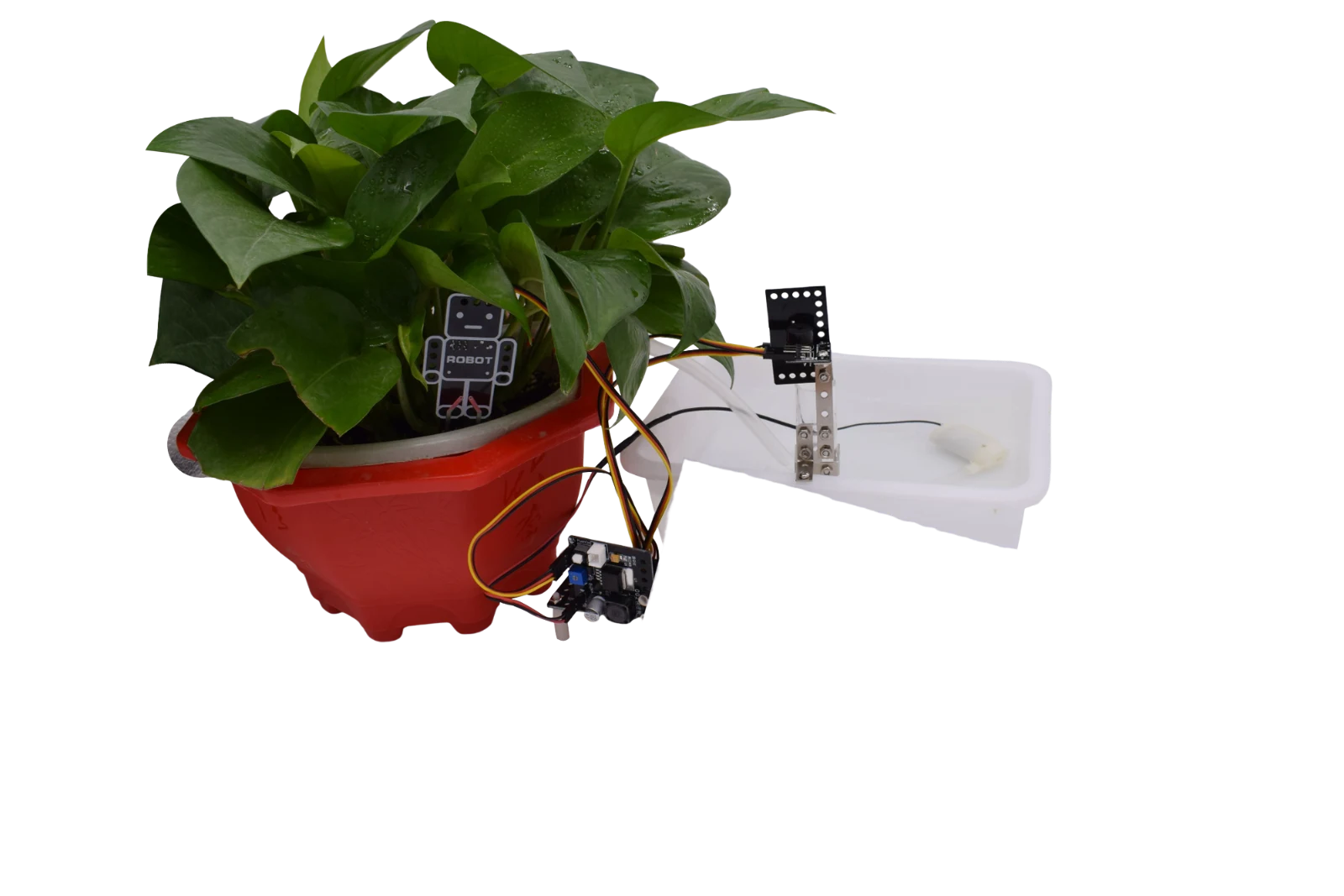
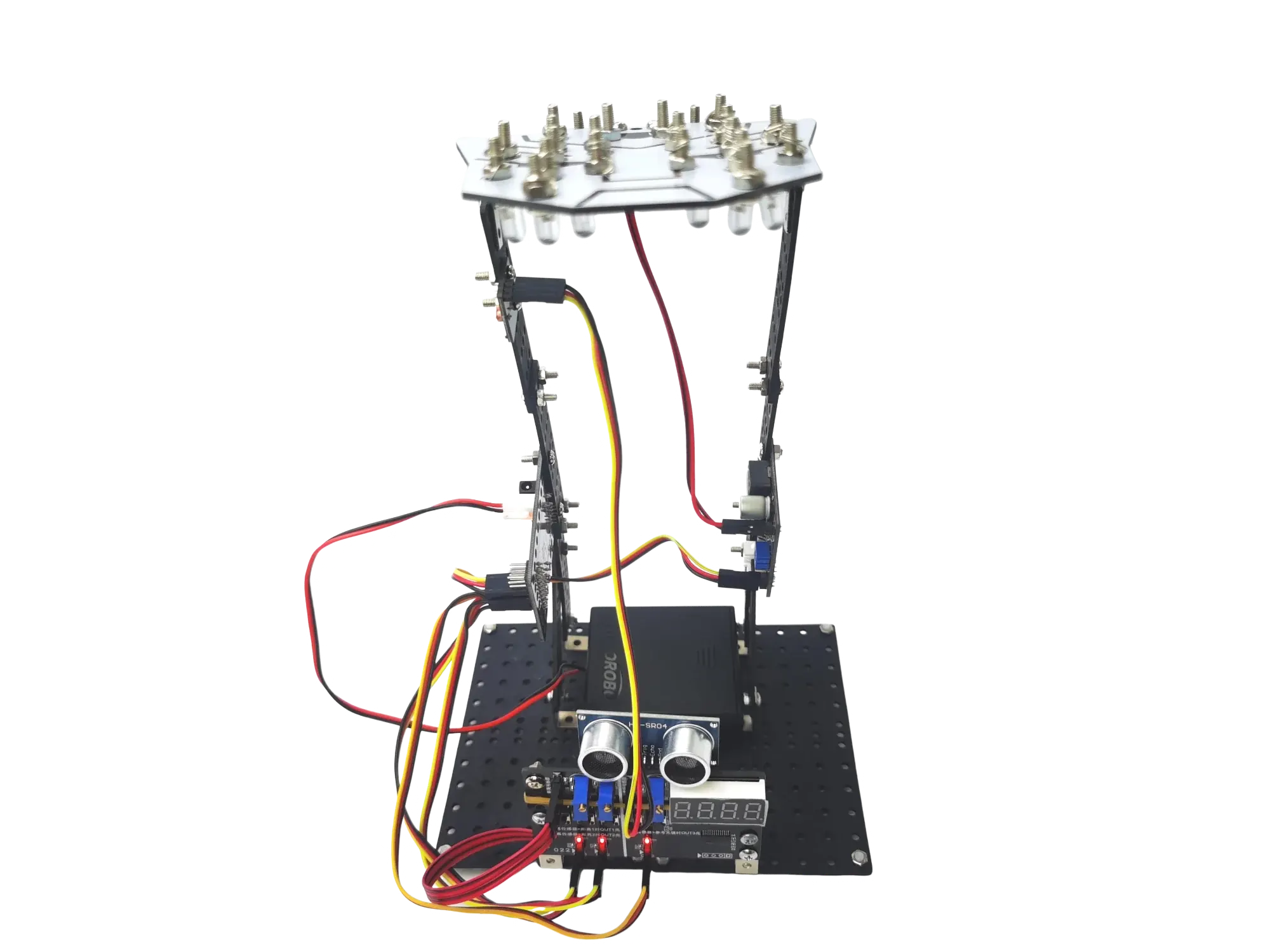
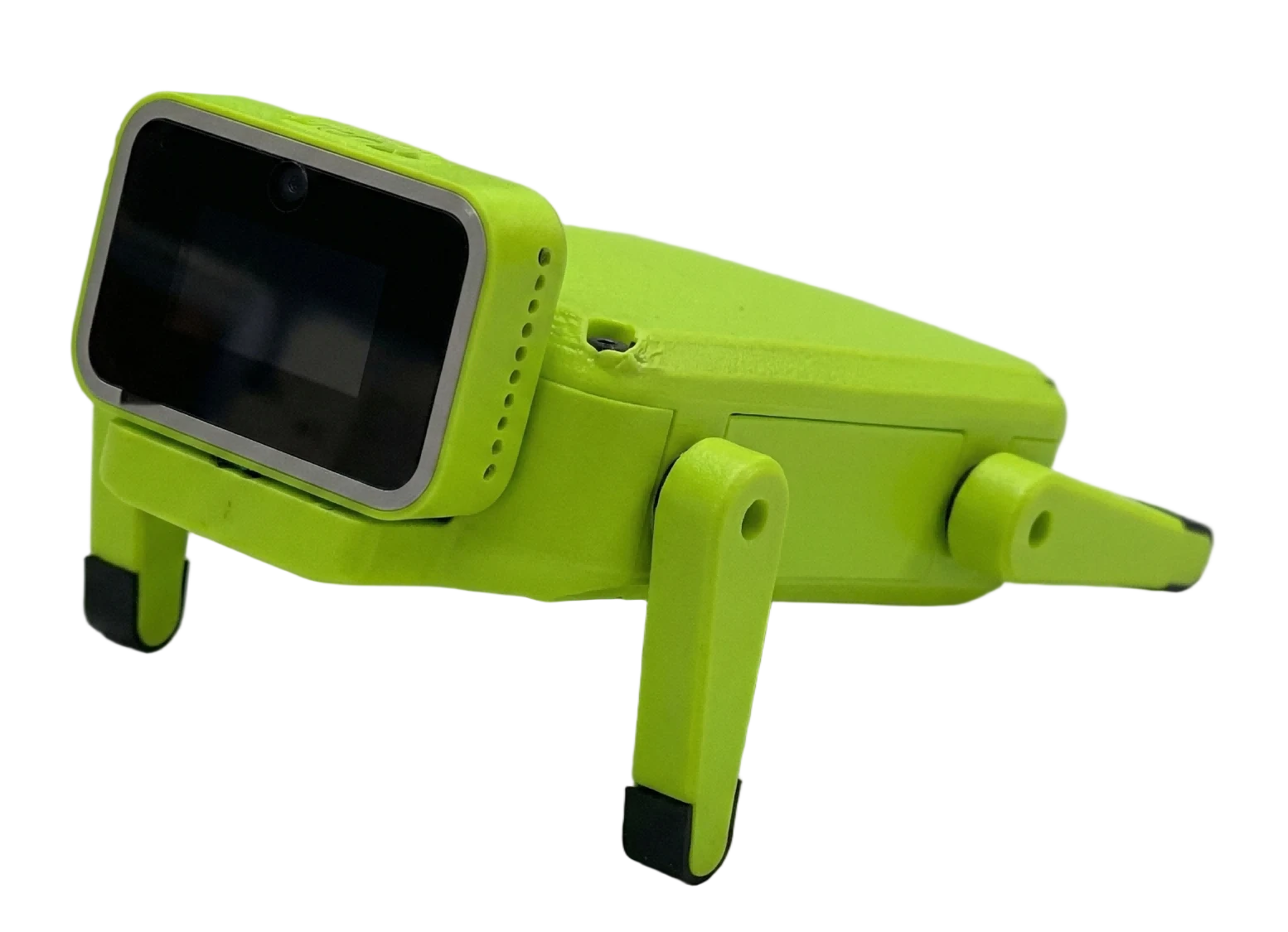
| Task Content | A Singing and Dancing Smart Companion Bionic-Sensing Junior Maker | Smart Plant Watering Smart Voice-Controlled Butler | Smart Desk Lamp Smart Environmental Music Station | Adventure in the Programming World Magic Transformations | Fantasy Adventurer Interstellar Commander | Robot Dog Launch: From Building to Action Smart Voice Interaction |
| Class Hours | 8 | 8 | 8 | 8 | 8 | 8 |
| AI Theme · Programming Course Configuration Plan | ||||||
| Task Name | Getting Started with AI | Unlocking Model Applications | Collaborative AI Programming | Creative Expression | Intro to Mini Programs | Mini Program Interaction |
| Task Content | Meet AI Image Recognition | Gesture Recognition Voice Dialogue | AI-Assisted Programming Design AI-Assisted Data Processing | My AI Agent Assistant AI Agent-Assisted Creation | Meet Mini Programs Mini Program Development in Practice | AI Mini Program Creation Mini Program Project Pitch |
| Class Hours | 8 | 8 | 8 | 8 | 8 | 8 |
Hardware Courses
ShengTong Education 'Learning by Doing' AI Theme · Hardware Course Configuration Plan Examples
Theme Example: Smart Companion
A Singing and Dancing Smart Companion / Bionic-Sensing Junior Maker · 2 tasks in total
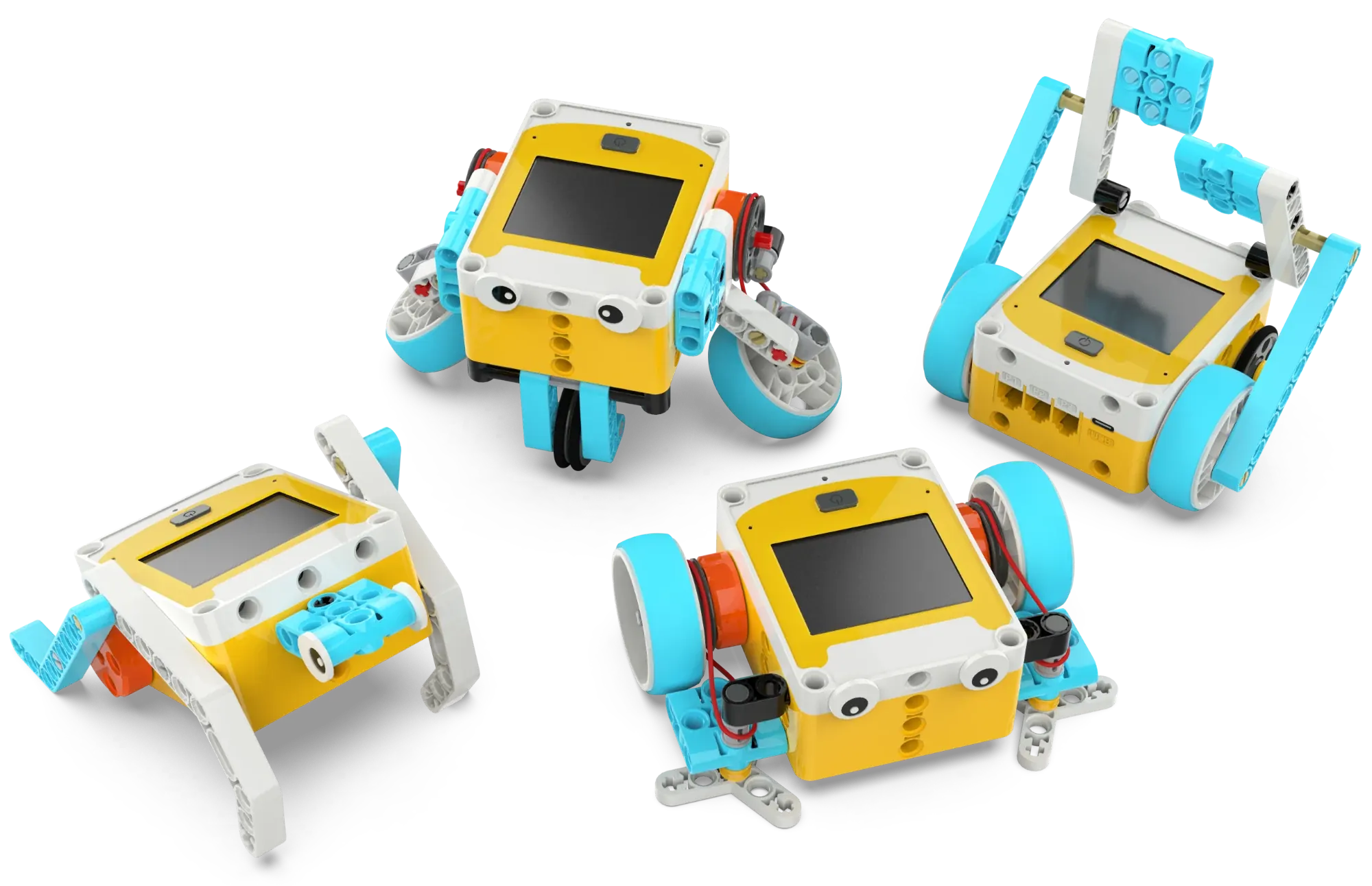
A Singing and Dancing Smart Companion
Suggested class hours: 4 class hoursTask Requirements
Learn the basic concept and classification of robots (industrial robots and special-purpose robots), get to know the controller of the Tianji programming kit (integrating a touchscreen, buzzer, microphone, tri-axis accelerometer, and dual-side encoded motors), and understand the principle of sound production (vibration of objects) and the relationship between pitch and vibration frequency, as well as how the built-in buzzer of the controller works.
In Class Hour 1, complete the basic build of the Tianji robot (building block pack 01), learn the names of each part and how to assemble them, power it on to experience the preset demo programs, and form a preliminary understanding of the intelligent system of 'sensor perception → program judgment → action execution'.
In Class Hour 2, learn the basic operations of touchscreen icon programming (add, delete, replace, insert icons), master basic movement commands such as forward, backward, turn left, and turn right, understand the correspondence between the 'count' parameter in the program and the number of wheel rotations, and be able to independently write a simple movement program and run it to verify.
In Class Hour 3, learn playback-type icon programming, master the use of nine sound effects and random sound effects, be able to combine movement and sound commands to write simple programs, and understand the difference between blocking and non-blocking icons (e.g., the different running effects of continuously moving forward versus moving forward N times).
In Class Hour 4, assemble the dancing robot (building block pack 02), learn the four components of the crank-rocker mechanism (crank, rocker, connecting rod, frame), understand the mechanical principle of converting circular motion into reciprocating swing, write a dance program, and hold a robot dance party activity.
Implementation Suggestions
In Class Hour 1, start with a discussion (What do you think a robot is?), guide students to discover the common features of various robots in life, then have them build the basic Tianji model and experience the demo programs. During assembly, let students check the number of parts themselves to build awareness of engineering standards.
In Class Hour 2, focus on programming operations, letting students try each movement icon step by step and observe the effects. Encourage students to predict the program's running effect before running it to verify, cultivating the habit of 'think first, then verify'.
In Class Hour 3, first introduce the principle of sound with everyday examples such as alarm clocks and phone ringtones, then program to experience different sound effects, with the focus on helping students understand the meaning of the random sound-effect icon. The programming difficulty lies in the difference between blocking and non-blocking icons—have students write programs using 'move forward twice + sound effect' and 'move forward continuously + sound effect' respectively, compare the running effects, and discover the difference themselves.
In Class Hour 4, first analyze the crank-rocker structure (with the help of video animation), then build the dancing robot step by step, write a dance program, and hold a robot dance party activity.
Teaching Implementation
You can start from everyday scenarios such as robot vacuum cleaners and food-delivery robots to discuss how AI enables machines to complete work 'automatically'; then extend to scenarios like smart speakers playing songs on request and shopping-mall guide robots with voice announcements, discussing how AI enables machines to 'speak' and interact with people.
Extension Directions
Introduce how AI voice assistants (such as XiaoAI and Siri) perceive user commands through sensors and respond, as well as AI music composition and smart music recommendation technologies, and discuss how AI 'learns' musical styles and creates melodies.
Bionic-Sensing Junior Maker
Suggested class hours: 4 class hoursTask Requirements
Learn the basic concept and function of sensors (converting physical quantities into electrical signals), get to know the two built-in sensors of the Tianji controller (microphone and tri-axis accelerometer), understand the concept and classification of bionic robots (hexapod robots, robot dogs, flapping-wing robots, etc.), and learn the basic principle and characteristics of belt drives.
In Class Hour 1, learn the microphone sensor, understand the principle that sound vibration drives the diaphragm to vibrate and generate electrical signals, master the three sensing icons of loud, soft, and medium sound, and program functions such as sound-triggered movement and automatic backward movement after collision detection.
In Class Hour 2, learn the tri-axis accelerometer, understand its applications in balance scooters, phone shake gestures, and drone stabilization, master posture sensing icons such as flat, vertical, shake, and rotate, program functions such as action-triggered sound effects and movement, and action-based change of movement speed, and understand the mapping relationship between sensor data and robot behavior.
In Class Hour 3, assemble the four-legged walking calf robot (building block pack 03), analyze how its crank-rocker structure enables the four legs to step alternately, program functions such as sensor-triggered movement and a prompt sound when placed vertically, and hold a calf racing activity.
In Class Hour 4, assemble the robot vacuum cleaner (building block pack 04), understand the structure of the rubber-band belt drive (driving wheel, driven wheel, rubber band), learn the protective feature of belt-drive overload slipping, program multi-bend route cleaning and random-movement cleaning, compare the difference between steering icons and single-motor rotation, and choose a steering method suitable for the robot vacuum cleaner.
Implementation Suggestions
In Class Hour 1, introduce with everyday sensors such as automatic faucets and automatic lights, then have students test the microphone's trigger sensitivity by clapping, singing, and tapping the table in various ways. Key step: guide students to discover the phenomenon that 'tapping the robot's shell can also trigger the microphone', then design a collision-backward program to cultivate inquiry thinking.
In Class Hour 2, introduce the accelerometer concept with a balance-scooter video, let students actually flip and shake the controller to observe value changes, then program to achieve action control. Changing the movement speed requires the sequence of 'set speed first, then set movement', which students easily omit.
In Class Hour 3, introduce the bionic concept with videos of spider robots and robot dogs; when building, pay attention to the symmetrical position of the pins on both sides of the legs (this is the key to normal walking), and before each run, adjust the motor's starting position so the two legs are staggered front and back. For the racing session, plan start and finish lines to add a sense of competition.
In Class Hour 4, introduce with a video of a real robot vacuum cleaner and discuss its working route. When building, the inside-outside direction of the rubber band is the key point—if installed reversed, the brush will rotate backward. In the programming session, first test the difference between the two steering methods, then guide students to choose single-motor steering (slower steering but the brush does not reverse, more suitable for vacuuming), and finally use random waiting time to achieve a random cleaning route.
Teaching Implementation
You can start from everyday scenarios such as self-driving cars' automatic obstacle avoidance and smart door locks' facial recognition to discuss how AI 'perceives' the surrounding world through sensors and makes judgments; then extend to scenarios like home robot vacuum cleaners automatically planning routes and Boston Dynamics' robot dogs overcoming obstacles, discussing how AI enables bionic robots to 'learn' to adapt to different environments and work autonomously.
Extension Directions
Introduce the voice-wake technology of smart speakers (such as 'XiaoAI'), the AI behavior recognition behind the phone shake gesture, and the AI path-planning technology of home robot vacuum cleaners (such as SLAM mapping), as well as the application of 'bionics + AI' in quadruped robots (such as Unitree), and discuss how AI enables robots to adapt to the environment more intelligently.

Software Courses
ShengTong Education 'Learning by Doing' AI Theme · Software Course Configuration Plan Examples
Theme Example: Getting Started with AI
Meet AI
Suggested class hours: 4 class hoursTask Requirements
Observe AI applications around us (smart speakers, autonomous driving, mobile apps, etc.), understand the basic concept of artificial intelligence, and distinguish the relationship between AI, robots, and programming; then get to know the 'brain' of AI—the model—learn the capabilities and uses of different types of models such as large language models, image-recognition models, and speech-recognition models, and experience AI painting generation and object recognition. Establish the understanding that AI is driven by programming and imitates human learning behavior, and understand the application of different models in different scenarios.
Implementation Suggestions
- 1
Pose the Question
Guide students to observe AI applications in life such as smart speakers, autonomous driving, and mobile apps, and think about 'What is artificial intelligence?', 'Why can AI learn?', 'What is the difference between AI, robots, and ordinary programming?', and 'Does AI have a brain, and what is that brain?'.
- 2
Design & Implementation
Organize students to experience AI interactions such as doodle recognition and fruit classification; observe through the 'Bird Adventure' game how AI learns and gets stronger from failures; experience AI painting generation and object recognition, and learn the capabilities of different models such as language, image, and speech; use graphical tools and a simple-sketch dataset to complete model training and testing.
- 3
Research & Discussion
Combine the experience activities to discuss the characteristics of supervised learning, unsupervised learning, and reinforcement learning, and distinguish the differences between weak AI, strong AI, and super AI; compare the similarities and differences between human-brain learning and model training, discuss the impact of data quantity and quality on model effectiveness, and analyze the role of the three elements of data, algorithm, and computing power.
- 4
Share & Present
Groups report their new understanding of AI and models, demonstrate the trained or tested model results, share 'how the model learned', and exchange methods to improve model accuracy and scenarios where AI cannot replace human judgment.
Image Recognition
Suggested class hours: 4 class hoursTask Requirements
Learn the basic process of image classification and model training, use a graphical programming platform to collect image samples for apples and bananas and train a classification model, complete the 'Monkey Loves Fruit' interactive game, and preliminarily experience the complete process of 'collection → training → recognition → feedback'; then use image-recognition technology to achieve somatosensory control, map the camera recognition result to game direction-control signals, complete the 'somatosensory bouncing-ball' game, and comprehensively apply coordinate positioning, character control, and image recognition.
Implementation Suggestions
- 1
Pose the Question
Create the scenario 'what fruit does the little monkey like', and think about 'how to let AI recognize apples and bananas?', 'what needs to be prepared?', and 'what if recognition is wrong?'; experience the traditional keyboard-controlled bouncing-ball game, and think about 'can we control the paddle without a keyboard, in other ways?', and 'how does image recognition become a game operation?'.
- 2
Design & Implementation
Prepare apples and bananas, the two kinds of fruit; add the image-classification extension in the graphical programming platform, set categories and collect apple and banana images from multiple angles and distances; train the model and write an interactive feedback program after recognition to complete 'Monkey Loves Fruit'; learn stage coordinates and character positioning, build the basic bouncing-ball game (paddle movement, ball bounce, collision detection, scoring), and connect the classification model to the game to set the correspondence between recognition results and paddle movement directions.
- 3
Research & Discussion
Test the model's recognition effect at different angles, distances, and lighting, discuss 'why does AI sometimes recognize wrongly?', and analyze the impact of data diversity on recognition accuracy; test the sensitivity and accuracy of somatosensory control, and compare the advantages and disadvantages of keyboard control and somatosensory control.
- 4
Share & Present
Demonstrate the 'Monkey Loves Fruit' and 'somatosensory bouncing-ball' works, share training-data and debugging experience, discuss how to make the model recognize more accurately, and imagine what other games image recognition can control.